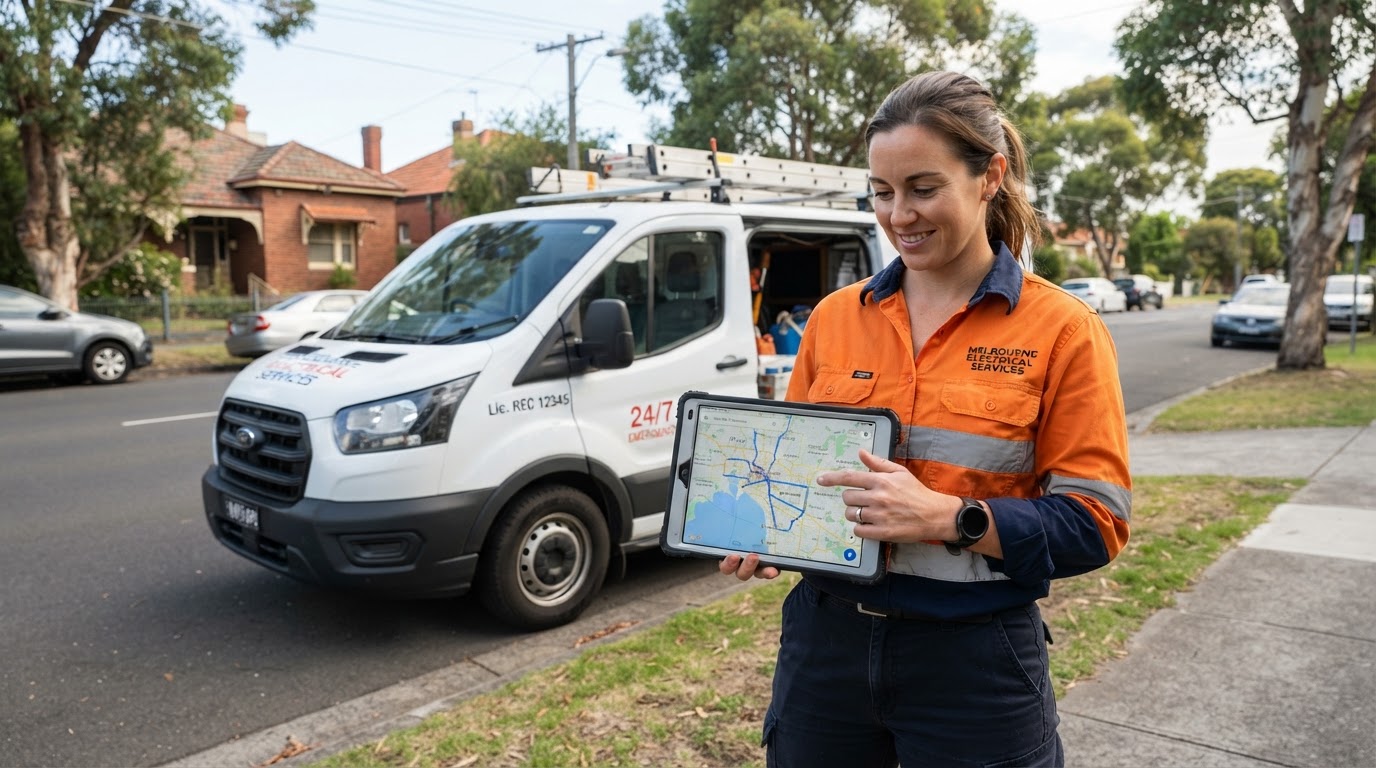
A useful suburb page helps a local customer decide three things: whether you do the work they need, whether you serve their area, and how to get a quote. If a page only swaps one suburb name for another, it does little for the customer and may add little value to your website.
The goal is not to publish a page for every suburb on the map. It is to build a small, well-linked set of pages around the areas you genuinely serve, with useful details about your work, your customers' needs, and how to contact you.
Start with the areas you can serve well
Before writing, map your real service area. Consider drive times, staff availability, travel costs, job size, and whether you can respond quickly to urgent work. A suburb may be close by distance but difficult to reach during peak traffic. Another may be worth travelling to for larger projects but not small repairs.
Group suburbs into practical areas, such as a city region, a cluster of neighbouring suburbs, or a nearby regional centre. Then decide which locations have enough customer demand and distinct service information to justify their own pages. If you only have a few jobs in an area and little to say beyond the suburb name, include it on a broader service-area page instead.
Be clear about your boundaries. Say where you regularly work, where you may travel for suitable jobs, and whether call-out fees or minimum job sizes apply. Accurate wording helps set expectations and filters out enquiries you cannot take on.
Your website should also agree with how you describe your business elsewhere. For example, Google's guidance says service-area businesses should represent their actual service area accurately. Its Business Profile service-area settings are separate from website pages, but both should reflect where you really work. (support.google.com)
Match the page to the job people need done
A location page should answer a local customer's questions, not just repeat a keyword such as plumber in Northcote. Start with the service they are looking for and explain what you can do in that area.
A page for an electrician might cover switchboard upgrades, fault finding, or lighting installation in a suburb where the business has completed those jobs. A roofing contractor's page might explain the roof types they work on locally and how they assess storm damage. The right details depend on the trade and the actual work offered.
Useful page details may include:
- The specific services available in the area
- Any limits on job types, access, or call-out availability
- What a customer can expect after contacting you
- Whether you handle urgent jobs, planned work, or both
- A clear way to request a quote or ask a question
Do not claim local expertise you cannot support. If your team works across a wide region rather than being based in each suburb, say so plainly.
Use proof from completed work
Real examples make a page more helpful and credible. Where you have permission, include a short project example from the area: what the customer needed, what work you completed, and any relevant detail about the result. Add original photos where appropriate, with captions that explain the job. Avoid posting customer addresses or identifying details without consent.
If you do not have a completed job in that exact suburb, do not imply that you do. You can still write a useful page about the services you offer there, your travel arrangements, and how customers can check whether their job is suitable. A nearby project can be included if you name its actual location and make the distinction clear.
Build pages that fit the site
A suburb page should not sit alone in a long list of near-identical URLs. Link it into a simple structure customers can browse, such as a main service page, a broader service-area page, and selected suburb pages. Use clear link text that describes the destination, like electrical repairs in Preston, rather than a vague read more.
On each suburb page, link to the relevant service pages, related project examples, and your contact or quote-request page. Those links help customers move from learning about the service to taking the next step. A clear site structure and crawlable links also help search engines discover how pages relate to one another. (developers.google.com)
Make the next step easy
A local customer should not have to search the page to find out what to do. Add a clear call to action, such as call to discuss a repair or request a quote for work in the area. Keep your phone number easy to find, especially on mobile, and make the enquiry form simple.
Set expectations in the call to action. If you need photos, measurements, or a site visit before quoting, explain that. If availability varies by suburb or job type, invite the customer to confirm rather than promising a response time you cannot consistently meet.
Avoid thin pages built only for rankings
It is tempting to publish dozens of pages with the same copy and a different suburb name. Resist the shortcut. Google identifies pages created for similar queries that funnel visitors to the same destination as a form of doorway abuse. Its guidance also recommends content that is useful and created for people. (developers.google.com)
A practical test is to ask: if the suburb name disappeared, would this page still tell a customer something useful about hiring us in this area? If the answer is no, the page likely needs more real detail, a different purpose, or a place on a broader area page.
Measure enquiries by area, not just traffic
Page views and rankings can show whether people are finding your pages, but they do not tell you whether those visitors are good prospects. Track the actions that matter to your business, such as calls, quote requests, and booked jobs, then record the suburb and service requested.
You can start with a simple enquiry log. Add the date, source page if known, location, job type, whether the enquiry was qualified, and what happened next. For phone calls and online forms, use suitable analytics or tracking tools so you can compare results by page without losing sight of call quality.
Review the data regularly. A page may bring in traffic but few viable jobs because it attracts work outside your scope. Another may bring fewer visits but consistent quote requests in an area you want to grow. Use those findings to improve the page, adjust your service boundaries, or focus your effort elsewhere.
Build fewer pages, make each one count
The strongest suburb-level strategy is based on genuine service coverage, specific customer needs, proof you can stand behind, and a clear route to contact you. Start with the areas and services that matter most to the business. Publish only when you can make a page meaningfully useful, then measure qualified calls and quote requests to decide what to improve next.
If your service pages attract visits but do not make it easy to follow up, AutomateFlux can help connect your website enquiries with practical follow-up and reporting workflows.